

- Home
- SEODiscover the latest updates from across the United States, including politics, culture, economy, and trending stories. Stay informed on the key events shaping the nation and the topics everyone’s talking about.
- Technical SEOLearn technical SEO concepts including crawling, indexing, XML sitemaps, robots.txt, canonical tags, site architecture, and website performance.
- Local SEOOptimize your business for local seo with Google Business Profile, local citations, reviews, maps, and location-based SEO.
- Mobile SEOImprove your website’s mobile seo performance with responsive design, mobile-first indexing, usability, and page speed optimization.
- On-Page SEOExplore on-page seo optimization techniques such as title tags, meta descriptions, headings, URLs, internal linking, and content optimization.
- Off-Page SEODiscover off-page SEO strategies such as backlinks, digital PR, brand mentions, outreach, and authority building.
- SEO ToolsExplore the best SEO tools for keyword research, technical audits, backlink analysis, rank tracking, and website optimization.
- Core Web VitalsLearn how to improve Core Web Vitals including LCP, INP, CLS, page speed, and overall user experience for better rankings.
- Keyword ResearchLearn how to find profitable keywords, analyze search intent, evaluate competition, and build effective keyword strategies.
- Link BuildingMaster ethical link building techniques, backlink analysis, outreach methods, guest posting, and authority growth strategies.
- Google Search ConsoleLearn how to use Google Search Console to monitor indexing, fix errors, analyze search performance, and improve SEO.
- SEO BasicsLearn the fundamentals of search engine optimization (SEO Basics), including how search engines work, SEO terminology, and beginner-friendly best practices.
- Paid Media
- Display AdvertisingLearn display advertising strategies, banner ads, audience targeting, remarketing, Google Display campaigns, and optimization techniques.
- Google AdsLearn Google Ads strategies, campaign setup, bidding, keywords, Performance Max, Search Ads, and optimization techniques.
- LinkedIn AdsLearn LinkedIn Ads strategies for B2B marketing, lead generation, audience targeting, campaign optimization, and paid social advertising.
- Meta AdsLearn Meta Ads strategies for Facebook and Instagram, including campaign setup, targeting, retargeting, and performance optimization.
- Paid Media AnalyticsLearn paid media analytics, including CPC, CTR, CPA, ROAS, conversion tracking, attribution, reporting, and campaign performance analysis.
- PPC StrategyLearn effective PPC strategies, campaign planning, bidding, keyword targeting, landing pages, conversion optimization, and more.
- ContentTransform your living spaces with inspiration, tips, and trends in interior design. From minimalist decor to bold statements, find ideas for every style and budget.
- Social
- Digital MarketingExplore stories and advice on living your best life. From personal growth to entertainment, dive into the latest in lifestyle trends and inspiration.
- Artificial IntelligenceStay informed about health and wellness with expert advice, fitness tips, and the latest medical breakthroughs. Your guide to a healthier and happier life.
- DevelopmentYou will find development related educational articles
- GTMLearn Google Tag Manager (GTM) with practical guides for tags, triggers, variables, tracking, conversions, and website analytics implementation.
- HTMLLearn HTML with simple tutorials, examples, tags, elements, attributes, and best practices for building modern web pages.
- HTML CSSLearn HTML CSS together with practical tutorials, examples, layouts, styling techniques, responsive design, and modern web development practices.
- HTML JSLearn HTML JS – JavaScript with practical tutorials and examples for adding interactivity, dynamic content, events, and functionality to web pages.
- JavaScriptExplore JavaScript tutorials, examples, concepts, and practical techniques for creating interactive and dynamic websites and web applications.
- PHPLearn PHP programming with practical tutorials, examples, functions, syntax, and web development techniques for beginners and developers.
- PythonLearn Python programming with practical tutorials, examples, syntax, functions, automation techniques, and useful programming concepts.
- Home
- SEODiscover the latest updates from across the United States, including politics, culture, economy, and trending stories. Stay informed on the key events shaping the nation and the topics everyone’s talking about.
- Technical SEOLearn technical SEO concepts including crawling, indexing, XML sitemaps, robots.txt, canonical tags, site architecture, and website performance.
- Local SEOOptimize your business for local seo with Google Business Profile, local citations, reviews, maps, and location-based SEO.
- Mobile SEOImprove your website’s mobile seo performance with responsive design, mobile-first indexing, usability, and page speed optimization.
- On-Page SEOExplore on-page seo optimization techniques such as title tags, meta descriptions, headings, URLs, internal linking, and content optimization.
- Off-Page SEODiscover off-page SEO strategies such as backlinks, digital PR, brand mentions, outreach, and authority building.
- SEO ToolsExplore the best SEO tools for keyword research, technical audits, backlink analysis, rank tracking, and website optimization.
- Core Web VitalsLearn how to improve Core Web Vitals including LCP, INP, CLS, page speed, and overall user experience for better rankings.
- Keyword ResearchLearn how to find profitable keywords, analyze search intent, evaluate competition, and build effective keyword strategies.
- Link BuildingMaster ethical link building techniques, backlink analysis, outreach methods, guest posting, and authority growth strategies.
- Google Search ConsoleLearn how to use Google Search Console to monitor indexing, fix errors, analyze search performance, and improve SEO.
- SEO BasicsLearn the fundamentals of search engine optimization (SEO Basics), including how search engines work, SEO terminology, and beginner-friendly best practices.
- Paid Media
- Display AdvertisingLearn display advertising strategies, banner ads, audience targeting, remarketing, Google Display campaigns, and optimization techniques.
- Google AdsLearn Google Ads strategies, campaign setup, bidding, keywords, Performance Max, Search Ads, and optimization techniques.
- LinkedIn AdsLearn LinkedIn Ads strategies for B2B marketing, lead generation, audience targeting, campaign optimization, and paid social advertising.
- Meta AdsLearn Meta Ads strategies for Facebook and Instagram, including campaign setup, targeting, retargeting, and performance optimization.
- Paid Media AnalyticsLearn paid media analytics, including CPC, CTR, CPA, ROAS, conversion tracking, attribution, reporting, and campaign performance analysis.
- PPC StrategyLearn effective PPC strategies, campaign planning, bidding, keyword targeting, landing pages, conversion optimization, and more.
- ContentTransform your living spaces with inspiration, tips, and trends in interior design. From minimalist decor to bold statements, find ideas for every style and budget.
- Social
- Digital MarketingExplore stories and advice on living your best life. From personal growth to entertainment, dive into the latest in lifestyle trends and inspiration.
- Artificial IntelligenceStay informed about health and wellness with expert advice, fitness tips, and the latest medical breakthroughs. Your guide to a healthier and happier life.
- DevelopmentYou will find development related educational articles
- GTMLearn Google Tag Manager (GTM) with practical guides for tags, triggers, variables, tracking, conversions, and website analytics implementation.
- HTMLLearn HTML with simple tutorials, examples, tags, elements, attributes, and best practices for building modern web pages.
- HTML CSSLearn HTML CSS together with practical tutorials, examples, layouts, styling techniques, responsive design, and modern web development practices.
- HTML JSLearn HTML JS – JavaScript with practical tutorials and examples for adding interactivity, dynamic content, events, and functionality to web pages.
- JavaScriptExplore JavaScript tutorials, examples, concepts, and practical techniques for creating interactive and dynamic websites and web applications.
- PHPLearn PHP programming with practical tutorials, examples, functions, syntax, and web development techniques for beginners and developers.
- PythonLearn Python programming with practical tutorials, examples, syntax, functions, automation techniques, and useful programming concepts.
Now Reading: Build Your Own XML Sitemap Generator in PHP
-
01
Build Your Own XML Sitemap Generator in PHP
- Home//
- SEO//Discover the latest updates from across the United States, including politics, culture, economy, and trending stories. Stay informed on the key events shaping the nation and the topics everyone’s talking about.
- Technical SEO//Learn technical SEO concepts including crawling, indexing, XML sitemaps, robots.txt, canonical tags, site architecture, and website performance.
- Local SEO//Optimize your business for local seo with Google Business Profile, local citations, reviews, maps, and location-based SEO.
- Mobile SEO//Improve your website’s mobile seo performance with responsive design, mobile-first indexing, usability, and page speed optimization.
- On-Page SEO//Explore on-page seo optimization techniques such as title tags, meta descriptions, headings, URLs, internal linking, and content optimization.
- Off-Page SEO//Discover off-page SEO strategies such as backlinks, digital PR, brand mentions, outreach, and authority building.
- SEO Tools//Explore the best SEO tools for keyword research, technical audits, backlink analysis, rank tracking, and website optimization.
- Core Web Vitals//Learn how to improve Core Web Vitals including LCP, INP, CLS, page speed, and overall user experience for better rankings.
- Keyword Research//Learn how to find profitable keywords, analyze search intent, evaluate competition, and build effective keyword strategies.
- Link Building//Master ethical link building techniques, backlink analysis, outreach methods, guest posting, and authority growth strategies.
- Google Search Console//Learn how to use Google Search Console to monitor indexing, fix errors, analyze search performance, and improve SEO.
- SEO Basics//Learn the fundamentals of search engine optimization (SEO Basics), including how search engines work, SEO terminology, and beginner-friendly best practices.
- Paid Media//
- Display Advertising//Learn display advertising strategies, banner ads, audience targeting, remarketing, Google Display campaigns, and optimization techniques.
- Google Ads//Learn Google Ads strategies, campaign setup, bidding, keywords, Performance Max, Search Ads, and optimization techniques.
- LinkedIn Ads//Learn LinkedIn Ads strategies for B2B marketing, lead generation, audience targeting, campaign optimization, and paid social advertising.
- Meta Ads//Learn Meta Ads strategies for Facebook and Instagram, including campaign setup, targeting, retargeting, and performance optimization.
- Paid Media Analytics//Learn paid media analytics, including CPC, CTR, CPA, ROAS, conversion tracking, attribution, reporting, and campaign performance analysis.
- PPC Strategy//Learn effective PPC strategies, campaign planning, bidding, keyword targeting, landing pages, conversion optimization, and more.
- Content//Transform your living spaces with inspiration, tips, and trends in interior design. From minimalist decor to bold statements, find ideas for every style and budget.
- Social//
- Digital Marketing//Explore stories and advice on living your best life. From personal growth to entertainment, dive into the latest in lifestyle trends and inspiration.
- Artificial Intelligence//Stay informed about health and wellness with expert advice, fitness tips, and the latest medical breakthroughs. Your guide to a healthier and happier life.
- Development//You will find development related educational articles
- GTM//Learn Google Tag Manager (GTM) with practical guides for tags, triggers, variables, tracking, conversions, and website analytics implementation.
- HTML//Learn HTML with simple tutorials, examples, tags, elements, attributes, and best practices for building modern web pages.
- HTML CSS//Learn HTML CSS together with practical tutorials, examples, layouts, styling techniques, responsive design, and modern web development practices.
- HTML JS//Learn HTML JS – JavaScript with practical tutorials and examples for adding interactivity, dynamic content, events, and functionality to web pages.
- JavaScript//Explore JavaScript tutorials, examples, concepts, and practical techniques for creating interactive and dynamic websites and web applications.
- PHP//Learn PHP programming with practical tutorials, examples, functions, syntax, and web development techniques for beginners and developers.
- Python//Learn Python programming with practical tutorials, examples, syntax, functions, automation techniques, and useful programming concepts.
- Home
- SEO
- Technical SEO
- Build Your Own XML Sitemap Generator in PHP
Build Your Own XML Sitemap Generator in PHP

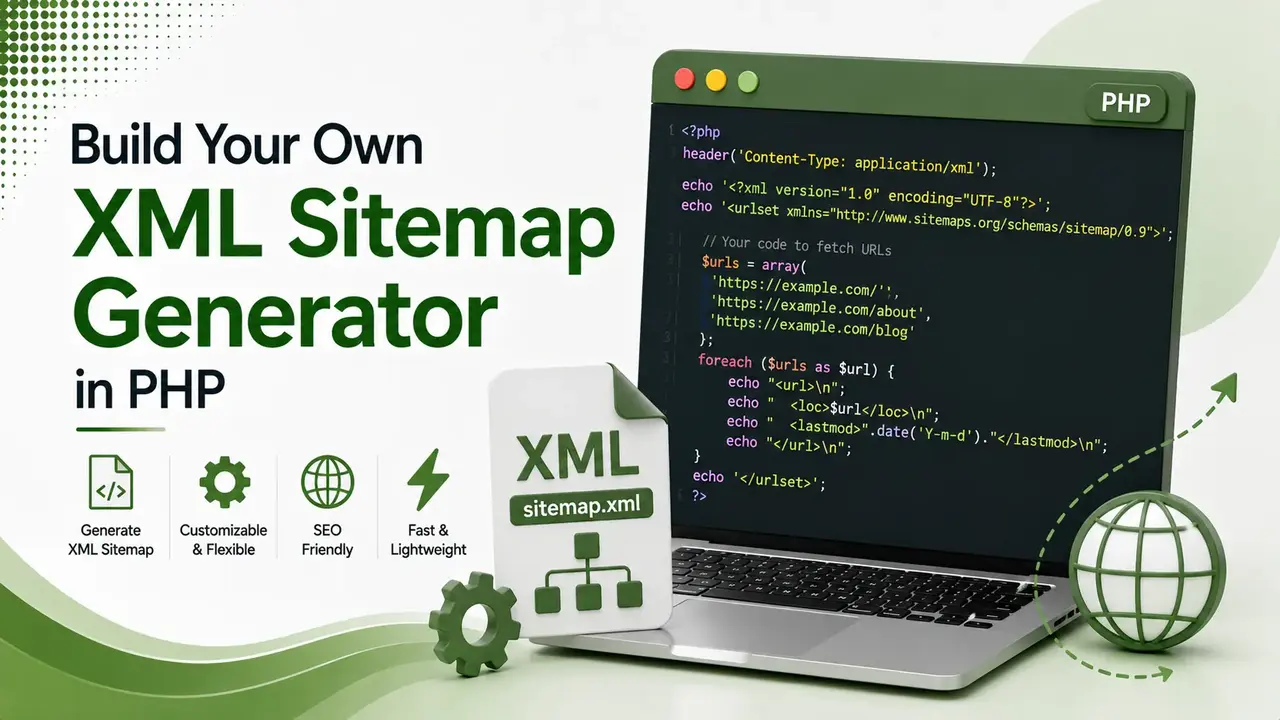
Most sitemap plugins are black boxes. Here's real, complete PHP code for four working sitemap generators from a basic script to a database-driven version that handles the 50,000 URL limit automatically.
Table of Contents
ToggleMost sitemap plugins are black boxes. You install one, hope it catches every URL correctly, and rarely look at what it actually outputs. Building your own PHP sitemap generator takes about thirty minutes and gives you full control over exactly which pages get included, how often they update, and what happens once you cross 50,000 URLs.
A sitemap generator built in PHP reads a list of URLs, either from an array, a directory scan, or a database query, then outputs valid XML following the official sitemaps.org protocol that search engines expect.
This guide walks through four working sitemap generator versions, from a basic static script to a database-driven generator that handles sitemap indexes automatically.
We covered why this file matters in our XML sitemap guide. This article is the hands-on build: real, complete PHP code you can run today.
maximum URLs allowed in a single sitemap file per the sitemaps.org protocol
maximum uncompressed file size per sitemap file before splitting is required
working sitemap generator versions covered, from basic to fully automated
How This Sitemap Generator Pipeline Works
Version 1: A Basic Sitemap Generator From an Array
This is the simplest working sitemap generator version, using PHP's built-in DOMDocument class rather than string concatenation, since DOMDocument automatically escapes special characters correctly.
<?php
header('Content-Type: application/xml; charset=utf-8');

$baseUrl = 'https://www.brandella.in';

$urls = [
    ['loc' => '/', 'lastmod' => '2026-07-30', 'changefreq' => 'daily', 'priority' => '1.0'],
    ['loc' => '/blog/', 'lastmod' => '2026-07-29', 'changefreq' => 'daily', 'priority' => '0.9'],
    ['loc' => '/about/', 'lastmod' => '2026-06-15', 'changefreq' => 'monthly', 'priority' => '0.6'],
];

$xml = new DOMDocument('1.0', 'UTF-8');
$xml->formatOutput = true;

$urlset = $xml->createElement('urlset');
$urlset->setAttribute('xmlns', 'http://www.sitemaps.org/schemas/sitemap/0.9');
$xml->appendChild($urlset);

foreach ($urls as $entry) {
    $urlNode = $xml->createElement('url');
    $urlNode->appendChild($xml->createElement('loc', $baseUrl . $entry['loc']));
    $urlNode->appendChild($xml->createElement('lastmod', $entry['lastmod']));
    $urlNode->appendChild($xml->createElement('changefreq', $entry['changefreq']));
    $urlNode->appendChild($xml->createElement('priority', $entry['priority']));
    $urlset->appendChild($urlNode);
}

echo $xml->saveXML();
Save as sitemap.php and visit it directly in a browser to see valid XML output
Version 2: Scanning a Directory Automatically
For static sites, scanning a folder of HTML files with PHP's RecursiveDirectoryIterator removes the need to maintain a URL list by hand entirely.
<?php
function scanDirectory($dir, $extension = 'html') {
    $urls = [];
    $files = new RecursiveIteratorIterator(
        new RecursiveDirectoryIterator($dir, RecursiveDirectoryIterator::SKIP_DOTS)
    );

    foreach ($files as $file) {
        if ($file->getExtension() === $extension) {
            $relativePath = str_replace($dir, '', $file->getPathname());
            $urls[] = [
                'loc' => str_replace('\\', '/', $relativePath),
                'lastmod' => date('Y-m-d', $file->getMTime()),
                'changefreq' => 'weekly',
                'priority' => '0.5'
            ];
        }
    }
    return $urls;
}

$urls = scanDirectory(__DIR__ . '/public');
Automatically finds every HTML file, using the file's own modified date for lastmod
Version 3: Pulling URLs From a Database
For dynamic sites built on a CMS or custom database, querying published content directly through PHP's PDO extension keeps the sitemap perfectly in sync with what actually exists.
<?php
$pdo = new PDO('mysql:host=localhost;dbname=brandella;charset=utf8mb4', 'db_user', 'db_password');
$stmt = $pdo->query("SELECT slug, updated_at FROM posts WHERE status = 'published'");

$urls = [];
while ($row = $stmt->fetch(PDO::FETCH_ASSOC)) {
    $urls[] = [
        'loc' => '/' . $row['slug'] . '/',
        'lastmod' => date('Y-m-d', strtotime($row['updated_at'])),
        'changefreq' => 'weekly',
        'priority' => '0.7'
    ];
}
Replace the query with whatever table structure your own CMS or app actually uses
Handling More Than 50,000 URLs
The sitemaps.org protocol caps a single file at 50,000 URLs. Larger sites need a sitemap index file pointing to multiple chunked sitemaps.
A single sitemap.xml file, exactly like Version 1 above, is all that's needed. No index file is required.
Split the URL array into chunks of 50,000 using PHP's array_chunk function, generate one sitemap file per chunk, then build a sitemap index file listing each chunked file's location.
<?php
$chunks = array_chunk($allUrls, 50000);

$indexXml = new DOMDocument('1.0', 'UTF-8');
$indexXml->formatOutput = true;
$sitemapindex = $indexXml->createElement('sitemapindex');
$sitemapindex->setAttribute('xmlns', 'http://www.sitemaps.org/schemas/sitemap/0.9');
$indexXml->appendChild($sitemapindex);

foreach ($chunks as $i => $chunk) {
    file_put_contents("sitemap-" . ($i + 1) . ".xml", buildSitemapXml($chunk));

    $sitemap = $indexXml->createElement('sitemap');
    $sitemap->appendChild($indexXml->createElement('loc', $baseUrl . "/sitemap-" . ($i + 1) . ".xml"));
    $sitemap->appendChild($indexXml->createElement('lastmod', date('Y-m-d')));
    $sitemapindex->appendChild($sitemap);
}

file_put_contents('sitemap-index.xml', $indexXml->saveXML());
Wrap the Version 1 logic in a buildSitemapXml() function, then call it once per chunk here
Automating Generation With CRON
Save the Script to Write a File, Not Just Echo
Change the final line from echo $xml->saveXML(); to file_put_contents('sitemap.xml', $xml->saveXML()); so running the script regenerates the actual file on disk.
Add a CRON Job
A daily cron entry like 0 2 * * * php /path/to/sitemap-generator.php regenerates the sitemap automatically every night at 2am.
Reference It in robots.txt
Add Sitemap: https://www.brandella.in/sitemap.xml to your robots.txt file so crawlers can discover the generated file automatically.
Live XML Sitemap Preview Builder
Paste URLs, one per line, to see the exact XML this script would generate.
Live XML Sitemap Preview Builder
Mirrors the output of the PHP script above, without needing to run PHP
Validating Your Sitemap Generator's Output
Before relying on any sitemap generator in production, confirm the output actually validates.
According to Google Search Central's guide to building a sitemap, submitting the file through Search Console's Sitemaps report is the most reliable way to confirm Google can parse it without errors.
A quick manual check works too: open the generated file directly in a browser.
A well-formed sitemap generator produces XML the browser renders as a structured tree, while a broken one shows a parsing error at the exact line where the invalid character or malformed tag sits.
When to Choose a Custom Generator Over a Plugin
According to Yoast's developer blog on building a custom sitemap script, a hand-built sitemap generator makes the most sense when a site has an unusual content structure, like large volumes of downloadable files, that generic plugins do not handle well by default.
For a standard WordPress blog with no unusual content types, an established plugin usually remains the more practical choice, since it also handles edge cases like taxonomy pages and media attachments without any custom code required.
Performance Considerations for Large Sites
A sitemap generator scanning tens of thousands of database rows or files can consume significant memory if not handled carefully.
According to an open-source PHP sitemap generator reference implementation, generation time scales directly with site size, so very large catalogs benefit from batching database queries rather than loading every URL into memory at once.
According to PHP's own documentation for array_chunk, this same batching function is what splits URLs into manageable groups for both memory efficiency and the 50,000 URL sitemap limit.
Running the sitemap generator as a scheduled background job, rather than triggering it from a live page request, keeps this resource usage isolated from actual visitor traffic.
Common Mistakes When Building a Sitemap Generator
| Mistake | Why It Matters |
|---|---|
| Using string concatenation instead of DOMDocument | Special characters in URLs can break XML validity |
| Including noindexed or redirected URLs | Sends contradictory signals about which pages matter |
| Forgetting the 50,000 URL limit | Large sites need a sitemap index, not one giant file |
| Never automating regeneration | A stale sitemap missing new content defeats its purpose |
| Not referencing the file in robots.txt | Makes discovery slower for crawlers checking that file first |
FAQs on Building a PHP Sitemap Generator
Related Articles
> what_we_learn_today.log
DOMDocument builds valid XML more safely than manual string concatenation
A directory scanner removes the need to maintain a URL list by hand
Database-driven generation keeps dynamic sites perfectly in sync
50,000 URLs per file is the hard limit; use a sitemap index beyond that
CRON automation keeps the file fresh without manual regeneration
Always validate output before relying on it for production traffic
Related Posts


Previous Post
Next Post
Previous Post

Next Post





- Artificial Intelligence
- Content
- Core Web Vitals
- Development
- Digital Marketing
- Display Advertising
- Google Ads
- Google Search Console
- GTM
- HTML
- HTML CSS
- JavaScript
- Keyword Research
- Link Building
- LinkedIn Ads
- Local SEO
- Meta Ads
- Mobile SEO
- Off-Page SEO
- On-Page SEO
- Paid Media
- Paid Media Analytics
- PHP
- PPC Strategy
- Python
- SEO
- SEO Basics
- SEO Tools
- Social
- Technical SEO




