

- Home
- SEODiscover the latest updates from across the United States, including politics, culture, economy, and trending stories. Stay informed on the key events shaping the nation and the topics everyone’s talking about.
- Technical SEOLearn technical SEO concepts including crawling, indexing, XML sitemaps, robots.txt, canonical tags, site architecture, and website performance.
- Local SEOOptimize your business for local seo with Google Business Profile, local citations, reviews, maps, and location-based SEO.
- Mobile SEOImprove your website’s mobile seo performance with responsive design, mobile-first indexing, usability, and page speed optimization.
- On-Page SEOExplore on-page seo optimization techniques such as title tags, meta descriptions, headings, URLs, internal linking, and content optimization.
- Off-Page SEODiscover off-page SEO strategies such as backlinks, digital PR, brand mentions, outreach, and authority building.
- SEO ToolsExplore the best SEO tools for keyword research, technical audits, backlink analysis, rank tracking, and website optimization.
- Core Web VitalsLearn how to improve Core Web Vitals including LCP, INP, CLS, page speed, and overall user experience for better rankings.
- Keyword ResearchLearn how to find profitable keywords, analyze search intent, evaluate competition, and build effective keyword strategies.
- Link BuildingMaster ethical link building techniques, backlink analysis, outreach methods, guest posting, and authority growth strategies.
- Google Search ConsoleLearn how to use Google Search Console to monitor indexing, fix errors, analyze search performance, and improve SEO.
- SEO BasicsLearn the fundamentals of search engine optimization (SEO Basics), including how search engines work, SEO terminology, and beginner-friendly best practices.
- Paid Media
- Display AdvertisingLearn display advertising strategies, banner ads, audience targeting, remarketing, Google Display campaigns, and optimization techniques.
- Google AdsLearn Google Ads strategies, campaign setup, bidding, keywords, Performance Max, Search Ads, and optimization techniques.
- LinkedIn AdsLearn LinkedIn Ads strategies for B2B marketing, lead generation, audience targeting, campaign optimization, and paid social advertising.
- Meta AdsLearn Meta Ads strategies for Facebook and Instagram, including campaign setup, targeting, retargeting, and performance optimization.
- Paid Media AnalyticsLearn paid media analytics, including CPC, CTR, CPA, ROAS, conversion tracking, attribution, reporting, and campaign performance analysis.
- PPC StrategyLearn effective PPC strategies, campaign planning, bidding, keyword targeting, landing pages, conversion optimization, and more.
- ContentTransform your living spaces with inspiration, tips, and trends in interior design. From minimalist decor to bold statements, find ideas for every style and budget.
- Social
- Digital MarketingExplore stories and advice on living your best life. From personal growth to entertainment, dive into the latest in lifestyle trends and inspiration.
- Artificial IntelligenceStay informed about health and wellness with expert advice, fitness tips, and the latest medical breakthroughs. Your guide to a healthier and happier life.
- DevelopmentYou will find development related educational articles
- GTMLearn Google Tag Manager (GTM) with practical guides for tags, triggers, variables, tracking, conversions, and website analytics implementation.
- HTMLLearn HTML with simple tutorials, examples, tags, elements, attributes, and best practices for building modern web pages.
- HTML CSSLearn HTML CSS together with practical tutorials, examples, layouts, styling techniques, responsive design, and modern web development practices.
- HTML JSLearn HTML JS – JavaScript with practical tutorials and examples for adding interactivity, dynamic content, events, and functionality to web pages.
- JavaScriptExplore JavaScript tutorials, examples, concepts, and practical techniques for creating interactive and dynamic websites and web applications.
- PHPLearn PHP programming with practical tutorials, examples, functions, syntax, and web development techniques for beginners and developers.
- PythonLearn Python programming with practical tutorials, examples, syntax, functions, automation techniques, and useful programming concepts.
- Home
- SEODiscover the latest updates from across the United States, including politics, culture, economy, and trending stories. Stay informed on the key events shaping the nation and the topics everyone’s talking about.
- Technical SEOLearn technical SEO concepts including crawling, indexing, XML sitemaps, robots.txt, canonical tags, site architecture, and website performance.
- Local SEOOptimize your business for local seo with Google Business Profile, local citations, reviews, maps, and location-based SEO.
- Mobile SEOImprove your website’s mobile seo performance with responsive design, mobile-first indexing, usability, and page speed optimization.
- On-Page SEOExplore on-page seo optimization techniques such as title tags, meta descriptions, headings, URLs, internal linking, and content optimization.
- Off-Page SEODiscover off-page SEO strategies such as backlinks, digital PR, brand mentions, outreach, and authority building.
- SEO ToolsExplore the best SEO tools for keyword research, technical audits, backlink analysis, rank tracking, and website optimization.
- Core Web VitalsLearn how to improve Core Web Vitals including LCP, INP, CLS, page speed, and overall user experience for better rankings.
- Keyword ResearchLearn how to find profitable keywords, analyze search intent, evaluate competition, and build effective keyword strategies.
- Link BuildingMaster ethical link building techniques, backlink analysis, outreach methods, guest posting, and authority growth strategies.
- Google Search ConsoleLearn how to use Google Search Console to monitor indexing, fix errors, analyze search performance, and improve SEO.
- SEO BasicsLearn the fundamentals of search engine optimization (SEO Basics), including how search engines work, SEO terminology, and beginner-friendly best practices.
- Paid Media
- Display AdvertisingLearn display advertising strategies, banner ads, audience targeting, remarketing, Google Display campaigns, and optimization techniques.
- Google AdsLearn Google Ads strategies, campaign setup, bidding, keywords, Performance Max, Search Ads, and optimization techniques.
- LinkedIn AdsLearn LinkedIn Ads strategies for B2B marketing, lead generation, audience targeting, campaign optimization, and paid social advertising.
- Meta AdsLearn Meta Ads strategies for Facebook and Instagram, including campaign setup, targeting, retargeting, and performance optimization.
- Paid Media AnalyticsLearn paid media analytics, including CPC, CTR, CPA, ROAS, conversion tracking, attribution, reporting, and campaign performance analysis.
- PPC StrategyLearn effective PPC strategies, campaign planning, bidding, keyword targeting, landing pages, conversion optimization, and more.
- ContentTransform your living spaces with inspiration, tips, and trends in interior design. From minimalist decor to bold statements, find ideas for every style and budget.
- Social
- Digital MarketingExplore stories and advice on living your best life. From personal growth to entertainment, dive into the latest in lifestyle trends and inspiration.
- Artificial IntelligenceStay informed about health and wellness with expert advice, fitness tips, and the latest medical breakthroughs. Your guide to a healthier and happier life.
- DevelopmentYou will find development related educational articles
- GTMLearn Google Tag Manager (GTM) with practical guides for tags, triggers, variables, tracking, conversions, and website analytics implementation.
- HTMLLearn HTML with simple tutorials, examples, tags, elements, attributes, and best practices for building modern web pages.
- HTML CSSLearn HTML CSS together with practical tutorials, examples, layouts, styling techniques, responsive design, and modern web development practices.
- HTML JSLearn HTML JS – JavaScript with practical tutorials and examples for adding interactivity, dynamic content, events, and functionality to web pages.
- JavaScriptExplore JavaScript tutorials, examples, concepts, and practical techniques for creating interactive and dynamic websites and web applications.
- PHPLearn PHP programming with practical tutorials, examples, functions, syntax, and web development techniques for beginners and developers.
- PythonLearn Python programming with practical tutorials, examples, syntax, functions, automation techniques, and useful programming concepts.
Now Reading: Open Graph Tags & Twitter Cards Explained with Code
-
01
Open Graph Tags & Twitter Cards Explained with Code
- Home//
- SEO//Discover the latest updates from across the United States, including politics, culture, economy, and trending stories. Stay informed on the key events shaping the nation and the topics everyone’s talking about.
- Technical SEO//Learn technical SEO concepts including crawling, indexing, XML sitemaps, robots.txt, canonical tags, site architecture, and website performance.
- Local SEO//Optimize your business for local seo with Google Business Profile, local citations, reviews, maps, and location-based SEO.
- Mobile SEO//Improve your website’s mobile seo performance with responsive design, mobile-first indexing, usability, and page speed optimization.
- On-Page SEO//Explore on-page seo optimization techniques such as title tags, meta descriptions, headings, URLs, internal linking, and content optimization.
- Off-Page SEO//Discover off-page SEO strategies such as backlinks, digital PR, brand mentions, outreach, and authority building.
- SEO Tools//Explore the best SEO tools for keyword research, technical audits, backlink analysis, rank tracking, and website optimization.
- Core Web Vitals//Learn how to improve Core Web Vitals including LCP, INP, CLS, page speed, and overall user experience for better rankings.
- Keyword Research//Learn how to find profitable keywords, analyze search intent, evaluate competition, and build effective keyword strategies.
- Link Building//Master ethical link building techniques, backlink analysis, outreach methods, guest posting, and authority growth strategies.
- Google Search Console//Learn how to use Google Search Console to monitor indexing, fix errors, analyze search performance, and improve SEO.
- SEO Basics//Learn the fundamentals of search engine optimization (SEO Basics), including how search engines work, SEO terminology, and beginner-friendly best practices.
- Paid Media//
- Display Advertising//Learn display advertising strategies, banner ads, audience targeting, remarketing, Google Display campaigns, and optimization techniques.
- Google Ads//Learn Google Ads strategies, campaign setup, bidding, keywords, Performance Max, Search Ads, and optimization techniques.
- LinkedIn Ads//Learn LinkedIn Ads strategies for B2B marketing, lead generation, audience targeting, campaign optimization, and paid social advertising.
- Meta Ads//Learn Meta Ads strategies for Facebook and Instagram, including campaign setup, targeting, retargeting, and performance optimization.
- Paid Media Analytics//Learn paid media analytics, including CPC, CTR, CPA, ROAS, conversion tracking, attribution, reporting, and campaign performance analysis.
- PPC Strategy//Learn effective PPC strategies, campaign planning, bidding, keyword targeting, landing pages, conversion optimization, and more.
- Content//Transform your living spaces with inspiration, tips, and trends in interior design. From minimalist decor to bold statements, find ideas for every style and budget.
- Social//
- Digital Marketing//Explore stories and advice on living your best life. From personal growth to entertainment, dive into the latest in lifestyle trends and inspiration.
- Artificial Intelligence//Stay informed about health and wellness with expert advice, fitness tips, and the latest medical breakthroughs. Your guide to a healthier and happier life.
- Development//You will find development related educational articles
- GTM//Learn Google Tag Manager (GTM) with practical guides for tags, triggers, variables, tracking, conversions, and website analytics implementation.
- HTML//Learn HTML with simple tutorials, examples, tags, elements, attributes, and best practices for building modern web pages.
- HTML CSS//Learn HTML CSS together with practical tutorials, examples, layouts, styling techniques, responsive design, and modern web development practices.
- HTML JS//Learn HTML JS – JavaScript with practical tutorials and examples for adding interactivity, dynamic content, events, and functionality to web pages.
- JavaScript//Explore JavaScript tutorials, examples, concepts, and practical techniques for creating interactive and dynamic websites and web applications.
- PHP//Learn PHP programming with practical tutorials, examples, functions, syntax, and web development techniques for beginners and developers.
- Python//Learn Python programming with practical tutorials, examples, syntax, functions, automation techniques, and useful programming concepts.
- Home
- SEO
- Technical SEO
- Open Graph Tags & Twitter Cards Explained with Code
Open Graph Tags & Twitter Cards Explained with Code

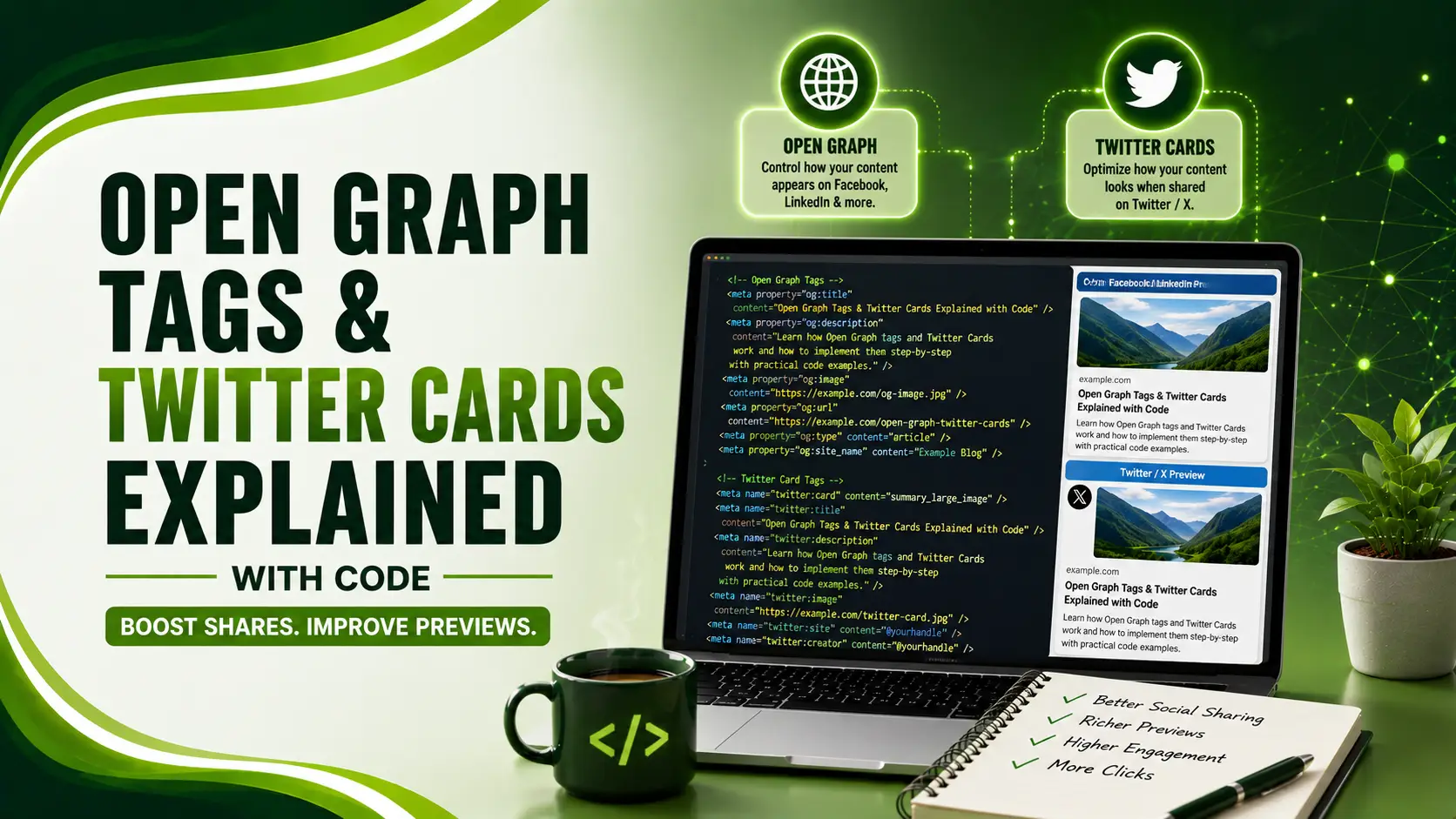
Open Graph tags and Twitter Cards explained: the property= vs name= distinction, the fallback chain, and why X's official validator vanished in 2022.
Table of Contents
ToggleOpen Graph tags and Twitter Cards are the dozen or so lines of HTML that decide whether a shared link renders as a rich, clickable card or a bare blue URL nobody taps. Open Graph controls Facebook, LinkedIn, Slack, Discord, and iMessage. Twitter Cards handle X separately, with their own naming convention and their own quirks.
01Open Graph Tags and Twitter Cards: How They Actually Differ
SEOtest's guide highlights the most important practical fact, and the one that trips up most implementations: the fallback chain. X falls back to Open Graph values when twitter-prefixed tags are missing, but it doesn't merge them intelligently. If twitter:image is present but empty, X won't fall through to og:image at all.
The syntax itself differs too. Open Graph uses the property= attribute, following the RDFa convention. Twitter Cards use the plain HTML5 name= attribute. Mixing these up is a common, silent way a card fails validation.
02The Complete Tag Block
Here's a full, working set combining Open Graph and Twitter Card tags for a typical article page.
<head>
  <!-- Open Graph (Facebook, LinkedIn, Slack, Discord, iMessage) -->
  <meta property="og:type" content="article" />
  <meta property="og:title" content="Open Graph Tags & Twitter Cards Explained" />
  <meta property="og:description" content="Every tag, image spec, and validation step explained with real code." />
  <meta property="og:url" content="https://example.com/og-guide" />
  <meta property="og:image" content="https://example.com/og/og-guide.jpg" />
  <meta property="og:image:width" content="1200" />
  <meta property="og:image:height" content="630" />
  <meta property="og:site_name" content="Brandella Journal" />

  <!-- Twitter Card (X specific, note name= not property=) -->
  <meta name="twitter:card" content="summary_large_image" />
  <meta name="twitter:site" content="@brandella" />
  <meta name="twitter:image:alt" content="Diagram showing Open Graph and Twitter Card tags" />
</head>
Notice twitter:title, twitter:description, and twitter:image are deliberately omitted above. As long as og:title, og:description, and og:image are set correctly, X's fallback picks them up automatically, the only Twitter-specific tag genuinely required is twitter:card itself. Set the individual twitter: tags only when you want to override the Open Graph values specifically for X.
03The Twitter Card Types That Actually Matter
Screenhance's guide notes X supports four card types, but two cover almost every real use case. Pick the one matching what the recipient should do next: reading an article calls for summary_large_image, a documentation or reference page often suits the smaller summary card better.
<meta name="twitter:card" content="summary" />
<meta name="twitter:image" content="https://example.com/icon-square.jpg" />
<!-- Recommended: 144x144 minimum, up to 4096x4096, 1:1 ratio -->
04Image Size Specs by Platform
A single well-designed image satisfies almost every platform, but the exact numbers differ slightly depending on the source you check, as Krumzi's 2026 guide confirms.
| Platform / Card | Recommended Size | Aspect Ratio |
|---|---|---|
| Universal og:image (Facebook, LinkedIn, Slack, Discord) | 1200 x 630 px | 1.91:1 |
| Twitter summary_large_image | 1200 x 628 px | 1.91:1 (close enough to og:image) |
| Twitter summary (small card) | 144x144 min, up to 4096x4096 | 1:1 |
| Minimum og:image accepted (Facebook) | 600 x 315 px | 1.91:1 |
ThatDevPro's reference guide notes X's official Card Validator at cards-dev.twitter.com was deprecated back in 2022 and has never been replaced with an official equivalent. In 2026, developers rely entirely on third-party tools or a genuine test post to verify how a card actually renders, there's no first-party way to force a re-crawl on demand anymore.
05Why Cards Silently Fail to Render
SecureBin's guide captures the most frustrating debugging experience with either protocol: you share a link, no preview appears, and the meta tags look completely fine on inspection. Several specific, silent failure modes explain most of these cases.
Tags injected client-side only, crawlers for both protocols don't execute JavaScript, tags must be present in the raw initial HTML response.
Relative image URLs, og:image and twitter:image must be absolute HTTPS URLs, not relative paths.
An image under the minimum size, X silently downgrades to the small summary card regardless of what twitter:card declares.
Aggressive platform caching, both Facebook and X cache card data, sometimes for up to 7 days, requiring a manual re-scrape after any tag change.
An empty twitter:image="", this breaks the fallback to og:image entirely, since X only falls through when the tag is fully absent.
06The Actual Validation Order
og-image.org's guide recommends following a fixed order when debugging to avoid random thrashing between tools. Confirm the tags return in the initial HTML response first, before touching image dimensions or platform-specific quirks.
| Step | What to Check |
|---|---|
| 1 | View source (not DevTools rendered DOM) to confirm tags exist in raw HTML |
| 2 | Confirm og:image and twitter:image are absolute HTTPS URLs |
| 3 | Open the image URL directly, it must load without any login requirement |
| 4 | Check the image dimensions meet the minimum for the declared card type |
| 5 | Force a re-scrape via a platform debugger, or Facebook's Sharing Debugger specifically |
07Implementation Checklist
A short list to confirm before shipping social tags to production.
Use 1200x630 as your default image size, it satisfies nearly every platform without customization.
Set og: tags with property=, twitter: tags with name=, mixing the attributes is a common, silent bug.
Always include twitter:card, even when relying entirely on Open Graph fallback for the rest.
Render tags server-side for SPAs, client-side-only injection is invisible to social crawlers.
Re-scrape after every tag change, aggressive caching means old previews persist until forced.
08Common Questions
Mostly no. X falls back to og:title, og:description, and og:image automatically. The one tag genuinely required is twitter:card, since there's no Open Graph equivalent that tells X which card layout to use.
No. X deprecated its official validator at cards-dev.twitter.com in 2022 and never replaced it. Developers now rely on third-party tools or an actual test post to verify rendering.
Usually the image is below the minimum size threshold. If it's under roughly 300x157 pixels, X silently downgrades to the small summary card regardless of what the twitter:card tag declares.
Platform caching. Facebook and X both cache card data aggressively, sometimes for up to a week. Use the platform's debugger to force a fresh re-scrape after any tag or image change.
Open Graph tags use property= following the RDFa convention. Twitter Card tags use the standard HTML5 name= attribute. Using the wrong one is a common reason a tag silently fails to be read.
Related Articles
What We Learn Today
Open Graph uses property=, Twitter Cards use name=
1200x630 is the universal safe default image size
X falls back to Open Graph, but twitter:card is still required
X's official Card Validator was deprecated in 2022, never replaced
Undersized images silently downgrade to the small card type
Platform caching means every change needs a manual re-scrape
Build a Complete Meta Tag Strategy
Social preview tags pair naturally with dynamic meta tags and technical SEO fundamentals. Explore both guides next.
Related Posts


Previous Post
Next Post
Previous Post

Next Post






- Artificial Intelligence
- Content
- Core Web Vitals
- Development
- Digital Marketing
- Display Advertising
- Google Ads
- Google Search Console
- GTM
- HTML
- HTML CSS
- JavaScript
- Keyword Research
- Link Building
- LinkedIn Ads
- Local SEO
- Meta Ads
- Mobile SEO
- Off-Page SEO
- On-Page SEO
- Paid Media
- Paid Media Analytics
- PHP
- PPC Strategy
- Python
- SEO
- SEO Basics
- SEO Tools
- Social
- Technical SEO




