

- Home
- SEODiscover the latest updates from across the United States, including politics, culture, economy, and trending stories. Stay informed on the key events shaping the nation and the topics everyone’s talking about.
- Technical SEOLearn technical SEO concepts including crawling, indexing, XML sitemaps, robots.txt, canonical tags, site architecture, and website performance.
- Local SEOOptimize your business for local seo with Google Business Profile, local citations, reviews, maps, and location-based SEO.
- Mobile SEOImprove your website’s mobile seo performance with responsive design, mobile-first indexing, usability, and page speed optimization.
- On-Page SEOExplore on-page seo optimization techniques such as title tags, meta descriptions, headings, URLs, internal linking, and content optimization.
- Off-Page SEODiscover off-page SEO strategies such as backlinks, digital PR, brand mentions, outreach, and authority building.
- SEO ToolsExplore the best SEO tools for keyword research, technical audits, backlink analysis, rank tracking, and website optimization.
- Core Web VitalsLearn how to improve Core Web Vitals including LCP, INP, CLS, page speed, and overall user experience for better rankings.
- Keyword ResearchLearn how to find profitable keywords, analyze search intent, evaluate competition, and build effective keyword strategies.
- Link BuildingMaster ethical link building techniques, backlink analysis, outreach methods, guest posting, and authority growth strategies.
- Google Search ConsoleLearn how to use Google Search Console to monitor indexing, fix errors, analyze search performance, and improve SEO.
- SEO BasicsLearn the fundamentals of search engine optimization (SEO Basics), including how search engines work, SEO terminology, and beginner-friendly best practices.
- Paid Media
- Display AdvertisingLearn display advertising strategies, banner ads, audience targeting, remarketing, Google Display campaigns, and optimization techniques.
- Google AdsLearn Google Ads strategies, campaign setup, bidding, keywords, Performance Max, Search Ads, and optimization techniques.
- LinkedIn AdsLearn LinkedIn Ads strategies for B2B marketing, lead generation, audience targeting, campaign optimization, and paid social advertising.
- Meta AdsLearn Meta Ads strategies for Facebook and Instagram, including campaign setup, targeting, retargeting, and performance optimization.
- Paid Media AnalyticsLearn paid media analytics, including CPC, CTR, CPA, ROAS, conversion tracking, attribution, reporting, and campaign performance analysis.
- PPC StrategyLearn effective PPC strategies, campaign planning, bidding, keyword targeting, landing pages, conversion optimization, and more.
- ContentTransform your living spaces with inspiration, tips, and trends in interior design. From minimalist decor to bold statements, find ideas for every style and budget.
- Social
- Digital MarketingExplore stories and advice on living your best life. From personal growth to entertainment, dive into the latest in lifestyle trends and inspiration.
- Artificial IntelligenceStay informed about health and wellness with expert advice, fitness tips, and the latest medical breakthroughs. Your guide to a healthier and happier life.
- DevelopmentYou will find development related educational articles
- GTMLearn Google Tag Manager (GTM) with practical guides for tags, triggers, variables, tracking, conversions, and website analytics implementation.
- HTMLLearn HTML with simple tutorials, examples, tags, elements, attributes, and best practices for building modern web pages.
- HTML CSSLearn HTML CSS together with practical tutorials, examples, layouts, styling techniques, responsive design, and modern web development practices.
- HTML JSLearn HTML JS – JavaScript with practical tutorials and examples for adding interactivity, dynamic content, events, and functionality to web pages.
- JavaScriptExplore JavaScript tutorials, examples, concepts, and practical techniques for creating interactive and dynamic websites and web applications.
- PHPLearn PHP programming with practical tutorials, examples, functions, syntax, and web development techniques for beginners and developers.
- PythonLearn Python programming with practical tutorials, examples, syntax, functions, automation techniques, and useful programming concepts.
- Home
- SEODiscover the latest updates from across the United States, including politics, culture, economy, and trending stories. Stay informed on the key events shaping the nation and the topics everyone’s talking about.
- Technical SEOLearn technical SEO concepts including crawling, indexing, XML sitemaps, robots.txt, canonical tags, site architecture, and website performance.
- Local SEOOptimize your business for local seo with Google Business Profile, local citations, reviews, maps, and location-based SEO.
- Mobile SEOImprove your website’s mobile seo performance with responsive design, mobile-first indexing, usability, and page speed optimization.
- On-Page SEOExplore on-page seo optimization techniques such as title tags, meta descriptions, headings, URLs, internal linking, and content optimization.
- Off-Page SEODiscover off-page SEO strategies such as backlinks, digital PR, brand mentions, outreach, and authority building.
- SEO ToolsExplore the best SEO tools for keyword research, technical audits, backlink analysis, rank tracking, and website optimization.
- Core Web VitalsLearn how to improve Core Web Vitals including LCP, INP, CLS, page speed, and overall user experience for better rankings.
- Keyword ResearchLearn how to find profitable keywords, analyze search intent, evaluate competition, and build effective keyword strategies.
- Link BuildingMaster ethical link building techniques, backlink analysis, outreach methods, guest posting, and authority growth strategies.
- Google Search ConsoleLearn how to use Google Search Console to monitor indexing, fix errors, analyze search performance, and improve SEO.
- SEO BasicsLearn the fundamentals of search engine optimization (SEO Basics), including how search engines work, SEO terminology, and beginner-friendly best practices.
- Paid Media
- Display AdvertisingLearn display advertising strategies, banner ads, audience targeting, remarketing, Google Display campaigns, and optimization techniques.
- Google AdsLearn Google Ads strategies, campaign setup, bidding, keywords, Performance Max, Search Ads, and optimization techniques.
- LinkedIn AdsLearn LinkedIn Ads strategies for B2B marketing, lead generation, audience targeting, campaign optimization, and paid social advertising.
- Meta AdsLearn Meta Ads strategies for Facebook and Instagram, including campaign setup, targeting, retargeting, and performance optimization.
- Paid Media AnalyticsLearn paid media analytics, including CPC, CTR, CPA, ROAS, conversion tracking, attribution, reporting, and campaign performance analysis.
- PPC StrategyLearn effective PPC strategies, campaign planning, bidding, keyword targeting, landing pages, conversion optimization, and more.
- ContentTransform your living spaces with inspiration, tips, and trends in interior design. From minimalist decor to bold statements, find ideas for every style and budget.
- Social
- Digital MarketingExplore stories and advice on living your best life. From personal growth to entertainment, dive into the latest in lifestyle trends and inspiration.
- Artificial IntelligenceStay informed about health and wellness with expert advice, fitness tips, and the latest medical breakthroughs. Your guide to a healthier and happier life.
- DevelopmentYou will find development related educational articles
- GTMLearn Google Tag Manager (GTM) with practical guides for tags, triggers, variables, tracking, conversions, and website analytics implementation.
- HTMLLearn HTML with simple tutorials, examples, tags, elements, attributes, and best practices for building modern web pages.
- HTML CSSLearn HTML CSS together with practical tutorials, examples, layouts, styling techniques, responsive design, and modern web development practices.
- HTML JSLearn HTML JS – JavaScript with practical tutorials and examples for adding interactivity, dynamic content, events, and functionality to web pages.
- JavaScriptExplore JavaScript tutorials, examples, concepts, and practical techniques for creating interactive and dynamic websites and web applications.
- PHPLearn PHP programming with practical tutorials, examples, functions, syntax, and web development techniques for beginners and developers.
- PythonLearn Python programming with practical tutorials, examples, syntax, functions, automation techniques, and useful programming concepts.
Now Reading: AI Image Generator Using API: Complete Node.js Guide
-
01
AI Image Generator Using API: Complete Node.js Guide
- Home//
- SEO//Discover the latest updates from across the United States, including politics, culture, economy, and trending stories. Stay informed on the key events shaping the nation and the topics everyone’s talking about.
- Technical SEO//Learn technical SEO concepts including crawling, indexing, XML sitemaps, robots.txt, canonical tags, site architecture, and website performance.
- Local SEO//Optimize your business for local seo with Google Business Profile, local citations, reviews, maps, and location-based SEO.
- Mobile SEO//Improve your website’s mobile seo performance with responsive design, mobile-first indexing, usability, and page speed optimization.
- On-Page SEO//Explore on-page seo optimization techniques such as title tags, meta descriptions, headings, URLs, internal linking, and content optimization.
- Off-Page SEO//Discover off-page SEO strategies such as backlinks, digital PR, brand mentions, outreach, and authority building.
- SEO Tools//Explore the best SEO tools for keyword research, technical audits, backlink analysis, rank tracking, and website optimization.
- Core Web Vitals//Learn how to improve Core Web Vitals including LCP, INP, CLS, page speed, and overall user experience for better rankings.
- Keyword Research//Learn how to find profitable keywords, analyze search intent, evaluate competition, and build effective keyword strategies.
- Link Building//Master ethical link building techniques, backlink analysis, outreach methods, guest posting, and authority growth strategies.
- Google Search Console//Learn how to use Google Search Console to monitor indexing, fix errors, analyze search performance, and improve SEO.
- SEO Basics//Learn the fundamentals of search engine optimization (SEO Basics), including how search engines work, SEO terminology, and beginner-friendly best practices.
- Paid Media//
- Display Advertising//Learn display advertising strategies, banner ads, audience targeting, remarketing, Google Display campaigns, and optimization techniques.
- Google Ads//Learn Google Ads strategies, campaign setup, bidding, keywords, Performance Max, Search Ads, and optimization techniques.
- LinkedIn Ads//Learn LinkedIn Ads strategies for B2B marketing, lead generation, audience targeting, campaign optimization, and paid social advertising.
- Meta Ads//Learn Meta Ads strategies for Facebook and Instagram, including campaign setup, targeting, retargeting, and performance optimization.
- Paid Media Analytics//Learn paid media analytics, including CPC, CTR, CPA, ROAS, conversion tracking, attribution, reporting, and campaign performance analysis.
- PPC Strategy//Learn effective PPC strategies, campaign planning, bidding, keyword targeting, landing pages, conversion optimization, and more.
- Content//Transform your living spaces with inspiration, tips, and trends in interior design. From minimalist decor to bold statements, find ideas for every style and budget.
- Social//
- Digital Marketing//Explore stories and advice on living your best life. From personal growth to entertainment, dive into the latest in lifestyle trends and inspiration.
- Artificial Intelligence//Stay informed about health and wellness with expert advice, fitness tips, and the latest medical breakthroughs. Your guide to a healthier and happier life.
- Development//You will find development related educational articles
- GTM//Learn Google Tag Manager (GTM) with practical guides for tags, triggers, variables, tracking, conversions, and website analytics implementation.
- HTML//Learn HTML with simple tutorials, examples, tags, elements, attributes, and best practices for building modern web pages.
- HTML CSS//Learn HTML CSS together with practical tutorials, examples, layouts, styling techniques, responsive design, and modern web development practices.
- HTML JS//Learn HTML JS – JavaScript with practical tutorials and examples for adding interactivity, dynamic content, events, and functionality to web pages.
- JavaScript//Explore JavaScript tutorials, examples, concepts, and practical techniques for creating interactive and dynamic websites and web applications.
- PHP//Learn PHP programming with practical tutorials, examples, functions, syntax, and web development techniques for beginners and developers.
- Python//Learn Python programming with practical tutorials, examples, syntax, functions, automation techniques, and useful programming concepts.
- Home
- Development
- JavaScript
- AI Image Generator Using API: Complete Node.js Guide
AI Image Generator Using API: Complete Node.js Guide

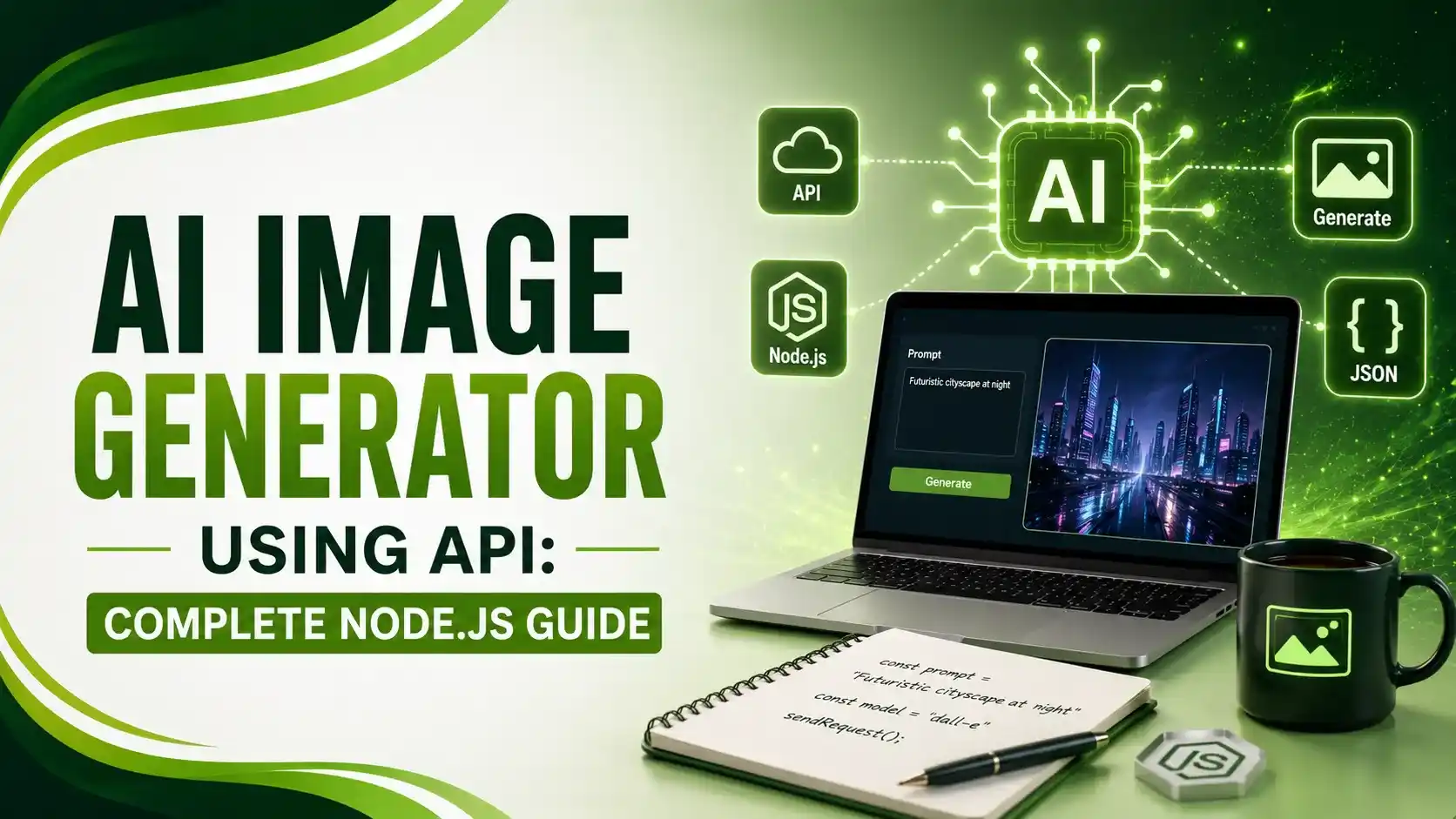
Build an AI image generator using an API — real Express code, three response formats handled correctly, and a security-first approach to your API key.
Table of Contents
ToggleBuilding an AI image generator using an API means your server sends a text prompt to a hosted model, OpenAI's DALL-E, Stable Diffusion, or Flux, and receives back an image URL or base64 data. The actual generation happens on the provider's infrastructure, your code is a thin, careful wrapper around a POST request.
01AI Image Generator Using API: The Core Flow
Every provider follows the same basic shape: an endpoint URL, an authentication header, and a JSON payload containing the prompt and generation parameters. Get any of those three wrong and the request fails outright, get all three right and generation is usually straightforward.
The part that actually needs care isn't the happy path, it's what happens after: parsing a response that might be a URL, raw binary, or base64 JSON, handling rate limits, and never exposing your API key to the browser.
02Setting Up the Server-Side Route
AI Image Detector's guide is direct about the non-negotiable first rule: don't put the key in frontend code, don't log full authorization headers, and don't start with bulk generation. Start with one request, confirm you can parse the response, and record metadata to trace the image later.
import express from 'express';
import 'dotenv/config';

const app = express();
app.use(express.json());

app.post('/api/generate-image', async (req, res) => {
  const { prompt } = req.body;

  if (!prompt || prompt.trim().length === 0) {
    return res.status(400).json({ error: 'Prompt is required' });
  }

  try {
    const response = await fetch('https://api.openai.com/v1/images/generations', {
      method: 'POST',
      headers: {
        'Authorization': `Bearer ${process.env.OPENAI_API_KEY}`, // server-side only
        'Content-Type': 'application/json'
      },
      body: JSON.stringify({
        model: 'dall-e-3',
        prompt: prompt,
        n: 1,
        size: '1024x1024'
      })
    });

    if (!response.ok) {
      const errorBody = await response.json();
      return res.status(response.status).json({ error: errorBody.error?.message || 'Generation failed' });
    }

    const data = await response.json();
    res.json({ imageUrl: data.data[0].url });

  } catch (err) {
    console.error('Image generation error:', err);
    res.status(500).json({ error: 'Internal server error' });
  }
});
Notice the API key is read from process.env, never hardcoded, and the fetch call happens entirely inside the Express route, on the server. If you ever see an image-generation API key inside a script tag, a client-side bundle, or committed to a public repo, treat that as a security incident requiring an immediate key rotation, not a minor oversight.
03Handling Three Different Response Formats
AI Image Detector's guide, referenced above, is specific about a source of confusion for beginners: Stable Diffusion-style APIs commonly return one of three things, a signed image URL, raw binary, or a base64 string inside JSON. Your code needs to handle whichever your provider actually sends.
function normalizeImageResponse(providerResponse) {
  // Case 1: provider returns a hosted URL directly
  if (providerResponse.url) {
    return { type: 'url', value: providerResponse.url };
  }

  // Case 2: provider returns base64-encoded image data
  if (providerResponse.b64_json) {
    return { type: 'base64', value: providerResponse.b64_json };
  }

  // Case 3: provider returns an array of output URLs (common with Replicate)
  if (Array.isArray(providerResponse) && providerResponse[0]) {
    return { type: 'url', value: providerResponse[0] };
  }

  throw new Error('Unrecognized response format from image provider');
}

function saveBase64Image(base64String, outputPath) {
  const buffer = Buffer.from(base64String, 'base64');
  fs.writeFileSync(outputPath, buffer);
}
04Handling Errors and Safety Blocks
The hard part isn't the first successful call, it's what happens when the API returns a rate limit response, a 400 for a malformed request, or a content safety block. A 400 usually means the request shape is wrong, unsupported dimensions, an invalid sampler setting, or a missing required field, and the fix is validating the payload before sending, not retrying blindly.
async function generateWithRetry(prompt, maxRetries = 2) {
  for (let attempt = 0; attempt <= maxRetries; attempt++) {
    const response = await fetch(IMAGE_API_URL, {
      method: 'POST',
      headers: authHeaders,
      body: JSON.stringify({ prompt })
    });

    if (response.status === 429) {
      // Rate limited, respect Retry-After if the provider sends one
      const retryAfter = parseInt(response.headers.get('retry-after') || '2');
      await new Promise(r => setTimeout(r, retryAfter * 1000));
      continue;
    }

    if (response.status === 400) {
      const body = await response.json();
      // Don't retry a bad request, log it and fail fast
      throw new Error(`Bad request: ${body.error?.message || 'invalid payload'}`);
    }

    if (response.ok) {
      return await response.json();
    }
  }

  throw new Error('Max retries exceeded');
}
05A Practical SEO Use Case: Auto-Generating OG Images
ModelsLab's API documentation notes one genuinely useful application connects directly to social preview cards: generating a unique image per article automatically at publish time, rather than manually designing one. This ties directly into our Open Graph and Twitter Cards guide, which covers the 1200x630 sizing every generated image should target.
async function generateOgImageForArticle(articleTitle, slug) {
  const prompt = `Minimalist blog header image representing: ${articleTitle}. `
    + 'Clean, professional, no text, wide aspect ratio.';

  const result = await generateWithRetry(prompt);
  const normalized = normalizeImageResponse(result.data[0]);

  const outputPath = `./public/og-images/${slug}.jpg`;

  if (normalized.type === 'base64') {
    saveBase64Image(normalized.value, outputPath);
  } else {
    const imageResponse = await fetch(normalized.value);
    const buffer = Buffer.from(await imageResponse.arrayBuffer());
    fs.writeFileSync(outputPath, buffer);
  }

  return `/og-images/${slug}.jpg`; // use this as og:image
}
06Provider Comparison
A quick reference for choosing between the most common hosted options, as compared in CodeToDeploy's Node.js integration guide.
| Provider | Typical Response | Best For |
|---|---|---|
| OpenAI (DALL-E) | URL or base64 (configurable) | Simple integration, official SDK support |
| Stability AI / Stable Diffusion | Base64 JSON, varies by host | Open-source model flexibility, self-hosting option |
| Replicate | Array of output URLs | Access to many community-hosted models |
| ModelsLab | URL (24hr) or base64 | 10,000+ model access via one unified API |
07Implementation Checklist
A short list to confirm before shipping an image generation feature to production.
Keep the API key server-side, always, never in frontend bundles, scripts, or committed repos.
Handle all response formats your provider might return, URL, binary, and base64 all need handling.
Respect rate limits with a real retry strategy, don't retry a 400 blindly, only retry 429s.
Log metadata alongside every generated image, useful for tracing failures or content moderation later.
Validate the prompt before sending, an empty or malformed prompt wastes a request and a rate limit slot.
08Common Questions
Not safely. Doing so exposes your API key to anyone who inspects the network requests. Always route the call through a server-side endpoint that keeps the key private.
Different providers return different formats, and some let you choose via a request parameter. Base64 embeds the image data directly in the JSON response; decode it server-side and write it to a file with the correct MIME type.
A 400 usually means the request shape is wrong, invalid dimensions, a missing required field, or a bad sampler setting. Log the provider's error body and fix the payload rather than retrying the same malformed request.
Respect the Retry-After header when a 429 response comes back, add exponential backoff, and avoid bulk generation until you've confirmed single requests work reliably.
Yes, with attention to sizing. Generate at or crop to 1200x630 for the widest social platform compatibility, matching the standard covered in most Open Graph implementations.
Related Articles
What We Learn Today
Every provider needs an endpoint, auth header, and JSON payload
API keys must always stay server-side, never in frontend code
Responses commonly come as URL, binary, or base64 JSON
Only retry 429s, never blindly retry a 400 bad request
Auto-generated OG images can plug directly into a publish workflow
Logging metadata helps trace failures and moderate output later
Build a Complete Automated Content Workflow
Auto-generated images pair naturally with dynamic meta tags and social preview cards. Explore both guides next.
Related Posts



Previous Post
Next Post
Previous Post
Next Post






- Artificial Intelligence
- Content
- Core Web Vitals
- Development
- Digital Marketing
- Display Advertising
- Google Ads
- Google Search Console
- GTM
- HTML
- HTML CSS
- JavaScript
- Keyword Research
- Link Building
- LinkedIn Ads
- Local SEO
- Meta Ads
- Mobile SEO
- Off-Page SEO
- On-Page SEO
- Paid Media
- Paid Media Analytics
- PHP
- PPC Strategy
- Python
- SEO
- SEO Basics
- SEO Tools
- Social
- Technical SEO




