

- Home
- SEODiscover the latest updates from across the United States, including politics, culture, economy, and trending stories. Stay informed on the key events shaping the nation and the topics everyone’s talking about.
- Technical SEOLearn technical SEO concepts including crawling, indexing, XML sitemaps, robots.txt, canonical tags, site architecture, and website performance.
- Local SEOOptimize your business for local seo with Google Business Profile, local citations, reviews, maps, and location-based SEO.
- Mobile SEOImprove your website’s mobile seo performance with responsive design, mobile-first indexing, usability, and page speed optimization.
- On-Page SEOExplore on-page seo optimization techniques such as title tags, meta descriptions, headings, URLs, internal linking, and content optimization.
- Off-Page SEODiscover off-page SEO strategies such as backlinks, digital PR, brand mentions, outreach, and authority building.
- SEO ToolsExplore the best SEO tools for keyword research, technical audits, backlink analysis, rank tracking, and website optimization.
- Core Web VitalsLearn how to improve Core Web Vitals including LCP, INP, CLS, page speed, and overall user experience for better rankings.
- Keyword ResearchLearn how to find profitable keywords, analyze search intent, evaluate competition, and build effective keyword strategies.
- Link BuildingMaster ethical link building techniques, backlink analysis, outreach methods, guest posting, and authority growth strategies.
- Google Search ConsoleLearn how to use Google Search Console to monitor indexing, fix errors, analyze search performance, and improve SEO.
- SEO BasicsLearn the fundamentals of search engine optimization (SEO Basics), including how search engines work, SEO terminology, and beginner-friendly best practices.
- Paid Media
- Display AdvertisingLearn display advertising strategies, banner ads, audience targeting, remarketing, Google Display campaigns, and optimization techniques.
- Google AdsLearn Google Ads strategies, campaign setup, bidding, keywords, Performance Max, Search Ads, and optimization techniques.
- LinkedIn AdsLearn LinkedIn Ads strategies for B2B marketing, lead generation, audience targeting, campaign optimization, and paid social advertising.
- Meta AdsLearn Meta Ads strategies for Facebook and Instagram, including campaign setup, targeting, retargeting, and performance optimization.
- Paid Media AnalyticsLearn paid media analytics, including CPC, CTR, CPA, ROAS, conversion tracking, attribution, reporting, and campaign performance analysis.
- PPC StrategyLearn effective PPC strategies, campaign planning, bidding, keyword targeting, landing pages, conversion optimization, and more.
- ContentTransform your living spaces with inspiration, tips, and trends in interior design. From minimalist decor to bold statements, find ideas for every style and budget.
- Social
- Digital MarketingExplore stories and advice on living your best life. From personal growth to entertainment, dive into the latest in lifestyle trends and inspiration.
- Artificial IntelligenceStay informed about health and wellness with expert advice, fitness tips, and the latest medical breakthroughs. Your guide to a healthier and happier life.
- DevelopmentYou will find development related educational articles
- GTMLearn Google Tag Manager (GTM) with practical guides for tags, triggers, variables, tracking, conversions, and website analytics implementation.
- HTMLLearn HTML with simple tutorials, examples, tags, elements, attributes, and best practices for building modern web pages.
- HTML CSSLearn HTML CSS together with practical tutorials, examples, layouts, styling techniques, responsive design, and modern web development practices.
- HTML JSLearn HTML JS – JavaScript with practical tutorials and examples for adding interactivity, dynamic content, events, and functionality to web pages.
- JavaScriptExplore JavaScript tutorials, examples, concepts, and practical techniques for creating interactive and dynamic websites and web applications.
- PHPLearn PHP programming with practical tutorials, examples, functions, syntax, and web development techniques for beginners and developers.
- PythonLearn Python programming with practical tutorials, examples, syntax, functions, automation techniques, and useful programming concepts.
- Home
- SEODiscover the latest updates from across the United States, including politics, culture, economy, and trending stories. Stay informed on the key events shaping the nation and the topics everyone’s talking about.
- Technical SEOLearn technical SEO concepts including crawling, indexing, XML sitemaps, robots.txt, canonical tags, site architecture, and website performance.
- Local SEOOptimize your business for local seo with Google Business Profile, local citations, reviews, maps, and location-based SEO.
- Mobile SEOImprove your website’s mobile seo performance with responsive design, mobile-first indexing, usability, and page speed optimization.
- On-Page SEOExplore on-page seo optimization techniques such as title tags, meta descriptions, headings, URLs, internal linking, and content optimization.
- Off-Page SEODiscover off-page SEO strategies such as backlinks, digital PR, brand mentions, outreach, and authority building.
- SEO ToolsExplore the best SEO tools for keyword research, technical audits, backlink analysis, rank tracking, and website optimization.
- Core Web VitalsLearn how to improve Core Web Vitals including LCP, INP, CLS, page speed, and overall user experience for better rankings.
- Keyword ResearchLearn how to find profitable keywords, analyze search intent, evaluate competition, and build effective keyword strategies.
- Link BuildingMaster ethical link building techniques, backlink analysis, outreach methods, guest posting, and authority growth strategies.
- Google Search ConsoleLearn how to use Google Search Console to monitor indexing, fix errors, analyze search performance, and improve SEO.
- SEO BasicsLearn the fundamentals of search engine optimization (SEO Basics), including how search engines work, SEO terminology, and beginner-friendly best practices.
- Paid Media
- Display AdvertisingLearn display advertising strategies, banner ads, audience targeting, remarketing, Google Display campaigns, and optimization techniques.
- Google AdsLearn Google Ads strategies, campaign setup, bidding, keywords, Performance Max, Search Ads, and optimization techniques.
- LinkedIn AdsLearn LinkedIn Ads strategies for B2B marketing, lead generation, audience targeting, campaign optimization, and paid social advertising.
- Meta AdsLearn Meta Ads strategies for Facebook and Instagram, including campaign setup, targeting, retargeting, and performance optimization.
- Paid Media AnalyticsLearn paid media analytics, including CPC, CTR, CPA, ROAS, conversion tracking, attribution, reporting, and campaign performance analysis.
- PPC StrategyLearn effective PPC strategies, campaign planning, bidding, keyword targeting, landing pages, conversion optimization, and more.
- ContentTransform your living spaces with inspiration, tips, and trends in interior design. From minimalist decor to bold statements, find ideas for every style and budget.
- Social
- Digital MarketingExplore stories and advice on living your best life. From personal growth to entertainment, dive into the latest in lifestyle trends and inspiration.
- Artificial IntelligenceStay informed about health and wellness with expert advice, fitness tips, and the latest medical breakthroughs. Your guide to a healthier and happier life.
- DevelopmentYou will find development related educational articles
- GTMLearn Google Tag Manager (GTM) with practical guides for tags, triggers, variables, tracking, conversions, and website analytics implementation.
- HTMLLearn HTML with simple tutorials, examples, tags, elements, attributes, and best practices for building modern web pages.
- HTML CSSLearn HTML CSS together with practical tutorials, examples, layouts, styling techniques, responsive design, and modern web development practices.
- HTML JSLearn HTML JS – JavaScript with practical tutorials and examples for adding interactivity, dynamic content, events, and functionality to web pages.
- JavaScriptExplore JavaScript tutorials, examples, concepts, and practical techniques for creating interactive and dynamic websites and web applications.
- PHPLearn PHP programming with practical tutorials, examples, functions, syntax, and web development techniques for beginners and developers.
- PythonLearn Python programming with practical tutorials, examples, syntax, functions, automation techniques, and useful programming concepts.
Now Reading: What Is X-Robots-Tag? When Should You Use It?
-
01
What Is X-Robots-Tag? When Should You Use It?
- Home//
- SEO//Discover the latest updates from across the United States, including politics, culture, economy, and trending stories. Stay informed on the key events shaping the nation and the topics everyone’s talking about.
- Technical SEO//Learn technical SEO concepts including crawling, indexing, XML sitemaps, robots.txt, canonical tags, site architecture, and website performance.
- Local SEO//Optimize your business for local seo with Google Business Profile, local citations, reviews, maps, and location-based SEO.
- Mobile SEO//Improve your website’s mobile seo performance with responsive design, mobile-first indexing, usability, and page speed optimization.
- On-Page SEO//Explore on-page seo optimization techniques such as title tags, meta descriptions, headings, URLs, internal linking, and content optimization.
- Off-Page SEO//Discover off-page SEO strategies such as backlinks, digital PR, brand mentions, outreach, and authority building.
- SEO Tools//Explore the best SEO tools for keyword research, technical audits, backlink analysis, rank tracking, and website optimization.
- Core Web Vitals//Learn how to improve Core Web Vitals including LCP, INP, CLS, page speed, and overall user experience for better rankings.
- Keyword Research//Learn how to find profitable keywords, analyze search intent, evaluate competition, and build effective keyword strategies.
- Link Building//Master ethical link building techniques, backlink analysis, outreach methods, guest posting, and authority growth strategies.
- Google Search Console//Learn how to use Google Search Console to monitor indexing, fix errors, analyze search performance, and improve SEO.
- SEO Basics//Learn the fundamentals of search engine optimization (SEO Basics), including how search engines work, SEO terminology, and beginner-friendly best practices.
- Paid Media//
- Display Advertising//Learn display advertising strategies, banner ads, audience targeting, remarketing, Google Display campaigns, and optimization techniques.
- Google Ads//Learn Google Ads strategies, campaign setup, bidding, keywords, Performance Max, Search Ads, and optimization techniques.
- LinkedIn Ads//Learn LinkedIn Ads strategies for B2B marketing, lead generation, audience targeting, campaign optimization, and paid social advertising.
- Meta Ads//Learn Meta Ads strategies for Facebook and Instagram, including campaign setup, targeting, retargeting, and performance optimization.
- Paid Media Analytics//Learn paid media analytics, including CPC, CTR, CPA, ROAS, conversion tracking, attribution, reporting, and campaign performance analysis.
- PPC Strategy//Learn effective PPC strategies, campaign planning, bidding, keyword targeting, landing pages, conversion optimization, and more.
- Content//Transform your living spaces with inspiration, tips, and trends in interior design. From minimalist decor to bold statements, find ideas for every style and budget.
- Social//
- Digital Marketing//Explore stories and advice on living your best life. From personal growth to entertainment, dive into the latest in lifestyle trends and inspiration.
- Artificial Intelligence//Stay informed about health and wellness with expert advice, fitness tips, and the latest medical breakthroughs. Your guide to a healthier and happier life.
- Development//You will find development related educational articles
- GTM//Learn Google Tag Manager (GTM) with practical guides for tags, triggers, variables, tracking, conversions, and website analytics implementation.
- HTML//Learn HTML with simple tutorials, examples, tags, elements, attributes, and best practices for building modern web pages.
- HTML CSS//Learn HTML CSS together with practical tutorials, examples, layouts, styling techniques, responsive design, and modern web development practices.
- HTML JS//Learn HTML JS – JavaScript with practical tutorials and examples for adding interactivity, dynamic content, events, and functionality to web pages.
- JavaScript//Explore JavaScript tutorials, examples, concepts, and practical techniques for creating interactive and dynamic websites and web applications.
- PHP//Learn PHP programming with practical tutorials, examples, functions, syntax, and web development techniques for beginners and developers.
- Python//Learn Python programming with practical tutorials, examples, syntax, functions, automation techniques, and useful programming concepts.
- Home
- SEO
- Technical SEO
- What Is X-Robots-Tag? When Should You Use It?
What Is X-Robots-Tag? When Should You Use It?

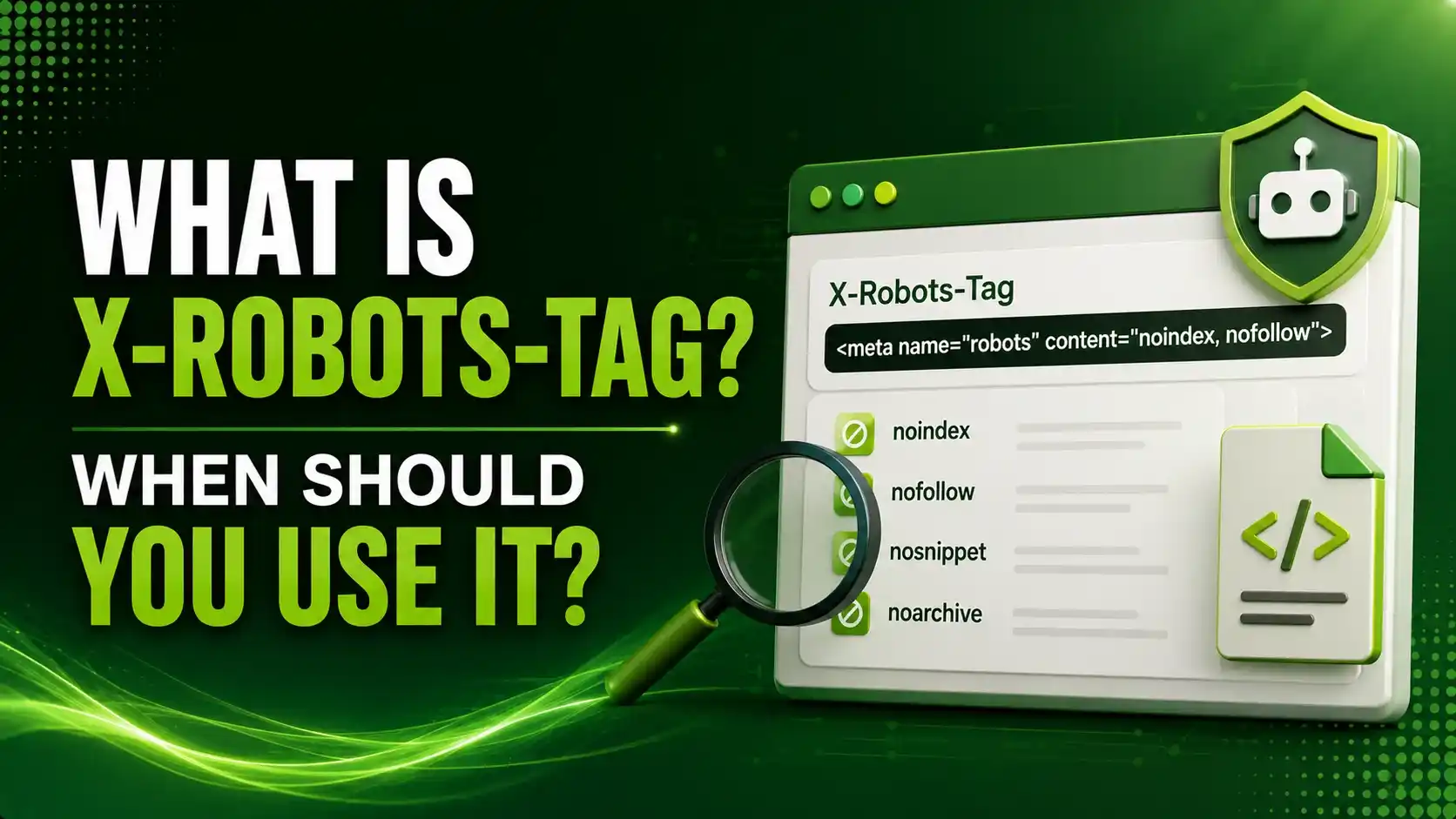
You can't put a meta tag inside a PDF. Here's the HTTP header that reaches every file type your server sends — full syntax, per-crawler targeting, how directives combine, and a decision tool for choosing robots.txt vs. meta tag vs. this header.
Table of Contents
ToggleYou cannot put a meta tag inside a PDF. There is no head section in a JPEG, an MP4, or an Excel file. Yet these files still get indexed by Google every day, sometimes ones you never meant to be searchable at all. X-Robots-Tag is the one control that reaches every file type your server sends out, HTML or not.
X-Robots-Tag is an HTTP response header that delivers the same indexing and serving directives as a meta robots tag, noindex, nofollow, noarchive, and more.
It applies these rules at the server level to any file type, including PDFs, images, and videos that have no HTML head to hold a meta tag at all.
We covered the page-level version of these directives in our meta robots tags guide, and the crawling layer beneath both in our robots.txt guide. X-Robots-Tag is the piece that handles everything those two cannot.
meta tags a PDF, image, or video file can technically contain
ways to combine rules: multiple header lines, or one comma-separated list
rule to remember: robots.txt blocking hides the header from crawlers entirely
A Bouncer vs. a Sign Inside One Room
X-Robots-Tag (HTTP Header)
A bouncer at the building entrance, deciding what's allowed in before a crawler ever reaches any specific file.
Meta Robots Tag (HTML)
A sign posted inside one room of the building. Useful, but only works where an HTML head actually exists.
Basic X-Robots-Tag Syntax
HTTP/1.1 200 OK
Date: Tue, 25 May 2026 21:42:43 GMT
X-Robots-Tag: noindex
A minimal response telling every crawler not to index this URL
Blocking Non-HTML Files at the Server Level
According to Google Search Central's official robots meta tag documentation, this is the primary reason X-Robots-Tag exists: controlling indexing for file types that simply cannot host an HTML tag.
# Apache: block all PDFs from indexing
<Files ~ ".pdf$">
  Header set X-Robots-Tag "noindex, nofollow"
</Files>

# Apache: block image files specifically
<Files ~ ".(png|jpe?g|gif)$">
  Header set X-Robots-Tag "noindex"
</Files>
According to Search Engine Journal's guide to X-Robots-Tag, these two blocks handle the most common real-world use case
Targeting Specific Crawlers Within the Header
According to MDN's X-Robots-Tag reference, a user agent can be specified directly inside the header value, letting different bots receive different rules from the same response.
X-Robots-Tag: googlebot: nofollow
X-Robots-Tag: BadBot: noindex, nofollow
Googlebot gets only nofollow here; a specified bot named BadBot gets both noindex and nofollow
What Happens When Multiple Rules Combine
According to MDN's reference referenced above, when several crawler-specific rules apply, search engines sum the negative directives rather than picking just one.
A response sending both X-Robots-Tag: nofollow and X-Robots-Tag: googlebot: noindex combines both directives for Googlebot specifically.
Googlebot interprets this exact combination as noindex, nofollow together, even though neither line alone stated both directives explicitly.
The Full Directive Reference
| Directive | What It Controls |
|---|---|
noindex | Keeps the URL out of search results entirely |
nofollow | Tells crawlers not to follow links found in the resource |
noarchive | Prevents a cached copy from being shown |
nosnippet | Blocks text snippets and thumbnail previews in results |
unavailable_after | Automatically removes the URL after a specified date |
noimageindex | Prevents images on the page from being indexed |
notranslate | Prevents search engines from offering a translation |
indexifembedded | Allows indexing when embedded via iframe, even with noindex set |
Which Robots Control Should I Use?
Select the resource type to see the right tool for the job.
Which Robots Control Should I Use?
Robots.txt, meta robots tag, or X-Robots-Tag
Why This Header Matters More at Scale
According to Andres SEO Expert's technical definition guide, implementation at the server level allows high-scale, programmatic control across entire directories, rather than editing individual page templates one at a time.
According to Ferdy's 2026 explanation of this header, for standard HTML pages and posts, a meta robots tag through an SEO plugin remains the simpler default. This header specifically earns its keep for downloads, PDFs, and files an SEO plugin cannot reach.
Real-World Use Cases Worth Knowing
According to Nuwtonic's complete guide to mastering this header, expiring campaign pages, event materials, and licensed documents are common candidates for combining noarchive with unavailable_after, automatically removing outdated resources from results without manual cleanup.
According to Acromatico's AI visibility glossary entry, teams managing large document libraries or media-heavy sites benefit most, since a single server rule can govern thousands of files that would otherwise need individual review.
How to Check for an Existing X-Robots-Tag
According to Rank-O-Saur's guide to the X-Robots-Tag header, the header is invisible on the page itself, so checking requires opening browser DevTools' Network tab, selecting the file, and reading the Response Headers section.
# Or check directly from the command line
curl -I https://example.com/document.pdf
The -I flag returns headers only, showing any X-Robots-Tag present on that response
The One Trap Shared With Meta Robots Tags
According to Search Roost's guide to HTTP-level index controls, blocking a URL in robots.txt prevents the crawler from ever fetching it, which means any X-Robots-Tag on that response is never seen or followed either.
FAQs on X-Robots-Tag
Related Articles
> what_we_learn_today.log
X-Robots-Tag is the only option for indexing control on non-HTML files
It can target specific crawlers directly inside the header value
Multiple crawler-specific rules combine as summed negative directives
It's invisible on the page; DevTools or curl are needed to check it
robots.txt blocking hides it from crawlers just like a meta robots tag
It's not part of an official spec, but is widely supported regardless
Related Posts


Previous Post
Next Post
Previous Post

Next Post





- Artificial Intelligence
- Content
- Core Web Vitals
- Development
- Digital Marketing
- Display Advertising
- Google Ads
- Google Search Console
- GTM
- HTML
- HTML CSS
- JavaScript
- Keyword Research
- Link Building
- LinkedIn Ads
- Local SEO
- Meta Ads
- Mobile SEO
- Off-Page SEO
- On-Page SEO
- Paid Media
- Paid Media Analytics
- PHP
- PPC Strategy
- Python
- SEO
- SEO Basics
- SEO Tools
- Social
- Technical SEO




